Showing posts with label Mote. Show all posts

Tuesday, October 15, 2024

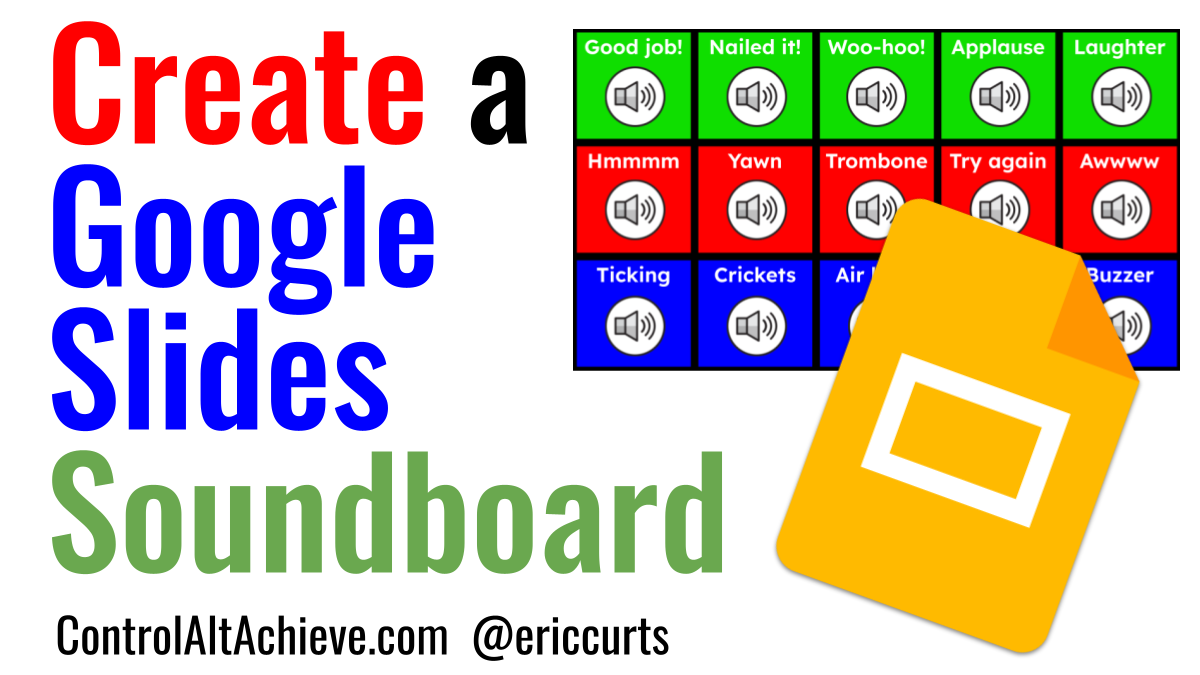
Creating Soundboards with Google Slides for Stories, Games and More

How can you bring some extra life into your class activities, discussions, and games? Ding, Ding, Ding! Yes, that's right, with your own custom soundboard.

A soundboard can be used in your class for many purposes:
  • It could provide fun sound effects for class games, quizzes, and competitions.
  • You could use the soundboard for audio cues for classroom transitions, such as indicating when time's up, or students need to clear their desks, or switch groups, or such.
  • The soundboard could be used while you are reading a story out loud to your students, to bring the story to life with sounds from the story content.
  • You could use the sounds to support and reinforce content being taught in class.
  • If you or your students are recording podcasts and videos, a soundboard can be used to for effects and transitions while recording.
  • And more!
There are certainly lots of options for classroom soundboards, but one free and easy tool for this is Google Slides. With Google Slides you can create your own custom soundboard with audio that you have recorded or downloaded from free audio sites.

See below for details on how to do this. You will find a 21-minute video I did for MoteCon24 where I go through all the steps, as well as links to my associated resource document, session slideshow, sample soundboard, and more.

Thursday, September 19, 2024

Join Me for MoteCon24

I am excited and honored to be presenting at the free, virtual MoteCon24 event on September 30th!

MoteCon is a totally free, online conference with loads of great sessions on using Mote, the awesome Chrome extension that lets you and your students record your voice and add that recording to websites and web tools including Google Docs, Slides, Forms, Classroom, Gmail, and more.

In past years I presented at MoteCon22 and MoteCon23. This year MoteCon will be streamed live on YouTube on September 30th from 5pm to 8pm Central Time (6pm to 9pm Eastern). For those who can't watch live, the recorded videos will be available for on-demand viewing afterwards,

See below for all the details and how to register for free. I look forward to learning with you!

Friday, September 1, 2023

Conker Your Quizzes With Mote

I recently had the privilege to present a virtual session for MoteCon 2023 on how to use Conker, which is Mote's new AI-powered tool for creating assessments.

Last year at MoteCon 2022 I presented a session on using Mote to create an interactive digital soundboard in Google Slides for your class. You can see that recording from last here: Creating a Soundboard with Google Slides

With artificial intelligence being all the rage right now it made perfect sense this year to focus on their new Conker AI tool. In short:
  • Conker is a tool from the makers of Mote, which uses AI to generate quizzes.
  • The quiz can come from a topic, or source material, or quiz bank.
  • Questions can include multiple choice, fill-in-the-blank, and read & respond.
  • Quizzes can be exported to Google Forms.
See below for the 30-minute recorded video all about using Conker to create quizzes, and also how to use Mote on top of that to add your recorded voice to the Google Form quiz that is created.

Tuesday, February 7, 2023

Mote for Multilingual Learners - Recorded Webinar

Recently I had the privilege to offer a free online session for the Teacher Innovation Network "EdTech Playground" where the theme was ways technology can support multilingual learners.

For my portion of the session I presented about the Chrome extension Mote and how it can be used in the multilingual classroom. Here is a description of my session:

Marvelous Mote Activities for Schools
Mote is a free Chrome extension that lets you and your students record your voices and insert the audio into most all Google tools. In Docs this can be used to provide recorded directions, add personalized feedback, and practice fluency. In Slides this is the simplest way to embed audio in your presentations. In Forms you can use Mote to add audio to your questions, but also for students to record and submit their answers. Mote can also be used in Classroom, Gmail, and much more. Learn how you and your students can use this awesome extension to enhance teaching and learning with audio

The other presenter was Brian Lopez who covered using Flip for multilingual learners.

The Teacher Innovation Network was kind enough to make the recorded video available for people to view if they were not able to attend the live session. See below to watch the recording, as well as access the resources I shared in the session.

Sunday, January 29, 2023

Join my Mote EdTech Playground on Jan 31st

I am excited to be offering a free online session for the Teacher Innovation Network where the theme will be ways technology can support multilingual learners.

The session is completely free for everyone and I hope you can attend. Below are the details and link for registration.
  • Tuesday, January 31, 2023
  • Pacific Time - 3:30 to 5:00pm
  • Eastern Time - 6:30 to 8:00pm
  • Register for free at tinyurl.com/tin2023
For my portion of the session I will be presenting about the Chrome extension Mote and how it can be used in the classroom. Here is a description of my session:

Marvelous Mote Activities for Schools
Mote is a free Chrome extension that lets you and your students record your voices and insert the audio into most all Google tools. In Docs this can be used to provide recorded directions, add personalized feedback, and practice fluency. In Slides this is the simplest way to embed audio in your presentations. In Forms you can use Mote to add audio to your questions, but also for students to record and submit their answers. Mote can also be used in Classroom, Gmail, and much more. Learn how you and your students can use this awesome extension to enhance teaching and learning with audio. For more details see: bit.ly/curts-mote

The other presenter will be Brian Lopez who will be covering Flip. I look forward to learning with you!

Tuesday, August 23, 2022

Creating a Soundboard with Google Slides

How can you bring some extra life into your class activities, discussions, and games? Ding, Ding, Ding! Yes, that's right, with your own custom soundboard.

A soundboard can be used in your class for many purposes:
  • It could provide fun sound effects for class games, quizzes, and competitions.
  • You could use the soundboard for audio cues for classroom transitions, such as indicating when time's up, or students need to clear their desks, or switch groups, or such.
  • The soundboard could be used while you are reading a story out loud to your students, to bring the story to life with sounds from the story content.
  • You could use the sounds to support and reinforce content being taught in class.
  • If you or your students are recording podcasts and videos, a soundboard can be used to for effects and transitions while recording.
  • And more!
There are certainly lots of options for classroom soundboards, but one free and easy tool for this is Google Slides. With Google Slides you can create your own custom soundboard with audio that you have recorded or downloaded from free audio sites.

See below for details on how to do this. You will find a 30-minute video I did for MoteCon22 where I go through all the steps, as well as links to my associated resource document, session slideshow, sample soundboard, and more.

Saturday, August 13, 2022

Join Me at MoteCon22

I am excited and honored to be presenting at the free, virtual MoteCon22 event on August 19th!

MoteCon is a totally free, online conference with loads of great sessions on using Mote, the awesome Chrome extension that lets you and your students record your voice and add that recording to websites and web tools including Google Docs, Slides, Forms, Classroom, Gmail, and more.

MoteCon will be streamed live on YouTube on August 19th and 20th from 2pm to 6pm EST each day.

You can learn more about the conference and register for free at: https://bit.ly/motecon

Below are details on the session I am presenting - "Creating a Soundboard with Mote and Google Slides" - along with any associated resources. Please feel free to join me for my session. I look forward to sharing and learning with you!

Wednesday, March 9, 2022

Recorded Webinar: Marvelous Mote Activities for Schools

Mote is an excellent Chrome Web Extension for teaching and learning:

  • You and your students can record your voice and add that recording to websites and web tools including Google Docs, Slides, Forms, Classroom, Gmail, and more.
  • You can view engagement details for your voice notes to see which students have listened to your recordings.
  • And although the free version is great, there is also a paid version with premium features including transcription, translation, STEM mode, and more.

I presented a free 1-hour webinar called "Marvelous Mote Activities for Schools" recently. The webinar covered an overview of Mote, how to install it, and then lots and lots of practical ideas for using Mote with Google Docs, Slides, Forms, Classroom, and more.

See below to watch the recorded webinar, access all of the session resources, see practical examples of uses for Mote in teaching and learning, get special access to the "Unlimited" version of Mote, and get a certificate of completion for the session.